

Register personal account
Fill in your registration details on the website: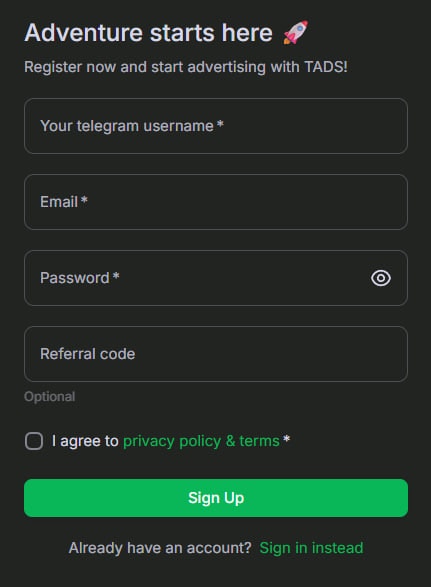
Create Ad
Click the “Create Ad” in your advertiser’s dashboard:.png?fit=max&auto=format&n=Wi8NmIUYizvVQ59_&q=85&s=1d42c21778e4fc3c33e40a3673a79810)
.png?fit=max&auto=format&n=Wi8NmIUYizvVQ59_&q=85&s=89c7cfc3385675c9b2ff414902dd9c43)
.png?fit=max&auto=format&n=Wi8NmIUYizvVQ59_&q=85&s=845bde5325fb1957c31e4f285ff0e840)
.png?fit=max&auto=format&n=Wi8NmIUYizvVQ59_&q=85&s=47acd2b8182a76cf97049eb897624df4)
- Text-Graphic Block - native ad block with text and image that integrates into app’s content
- Fullscreen banner - fullscreen ad styled as a Telegram message, seamlessly integrated to boost user attention
- URL - a destination URL
- Ad Category - the subject of the ad, not the placement of the ad
- User-Defined CPM/CPC - your base CPC or CPM (depends on the ad format). This cost serves as the starting point for calculations of impression/click costs, taking into your targeting criteria. The calculated value is displayed in the “Final CPC/CPM” field.
Define Limits
You can define any necessary campaign limits for your ad:.png?fit=max&auto=format&n=Wi8NmIUYizvVQ59_&q=85&s=2213f90144b57c205a353ecbee7e122d)
- Daily views limit per user - how many times the same user can see the ad per day
- Budget limit for Ad - total budget for the entire campaign.
- End Date - the final day the ad will run.
The ad will stop automatically when the budget limit is reached or the end date is passed.
Choose Targeting options
Choose your targeting options:.png?fit=max&auto=format&n=Wi8NmIUYizvVQ59_&q=85&s=622e4bd96801378e614815deadb15bc0)
Exclude or target Audience
How to enable Audience targetingChoose one of the following targeting options:.png?fit=max&auto=format&n=Wi8NmIUYizvVQ59_&q=85&s=72dbf73e95f1c5ae46102313594a6acd)
- Exclude audience – your ad will not be shown to these users (target new users)
- Target audience – your ad will be shown only to these users
Combining this targeting with others (country, locales, etc.) may significantly reduce the available reach. If your ad shows very low delivery after launch, consider turning off additional targeting to expand your audience.
Save and launch Ad
Finally click “Create Ad” and top up your balance. We recommend to start with a minimum budget of $300..png?fit=max&auto=format&n=Wi8NmIUYizvVQ59_&q=85&s=3b8e765976279833bf21cbc6dc68ac29 "Image(8)")
It initially appears on the dashboard with a “Review” status. Once it passes moderation, its status changes to “Hold”.
At that point, you must manually launch the ad from the dashboard:.png?fit=max&auto=format&n=Wi8NmIUYizvVQ59_&q=85&s=e588c30a9f7f1a57b42d50bfea7e58c3)
It initially appears on the dashboard with a “Review” status. Once it passes moderation, its status changes to “Hold”.
At that point, you must manually launch the ad from the dashboard: